 ) menu, select either Enable Diagnostics Mode.
| Phone | 403 770 4500 |
|---|---|
| Fax | 403 770 4647 |
| support.cdn@ihs.com |
Upon encountering issues while running LOGarc, switch on diagnostic mode to generate a log file and recreate the steps that led to the error. IHS Customer Care can review the log to troubleshoot the LOGarc issue.
To enable diagnostics mode
1. From the Help () menu, select either Enable Diagnostics Mode.
The Visual Trace Log window appears.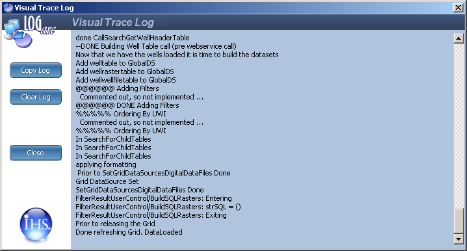
To transfer a copy of the log to another application such as a text editor or email message, click Copy Log.
2. Recreate the offending steps and then click Close.
The log is sent to IHS Customer Care.
| What is LOGarc |